
Core Features
The full path from photo to printable pattern: image conversion, cell-by-cell editing, 3D preview, assembly tracking, bead counts and tiled A4 export.
Every feature works on the same bead canvas: quantize an image into a grid of brand color codes, adjust it cell by cell, then export an image or print it in pages. Each section below covers what the feature does, who it is for and where its limits are.
Pixel editor
Paint cell by cell on a gridded canvas with brush, eraser, bucket fill, eyedropper and selection tools; a selected area can be moved or copied as a whole.
- Who
- Anyone who needs to clean up lines, add detail, or start from a blank canvas.
- Limits
- Colors are limited to the selected brand palette; the canvas stops at 300×300 on Free and 500×500 on Pro.
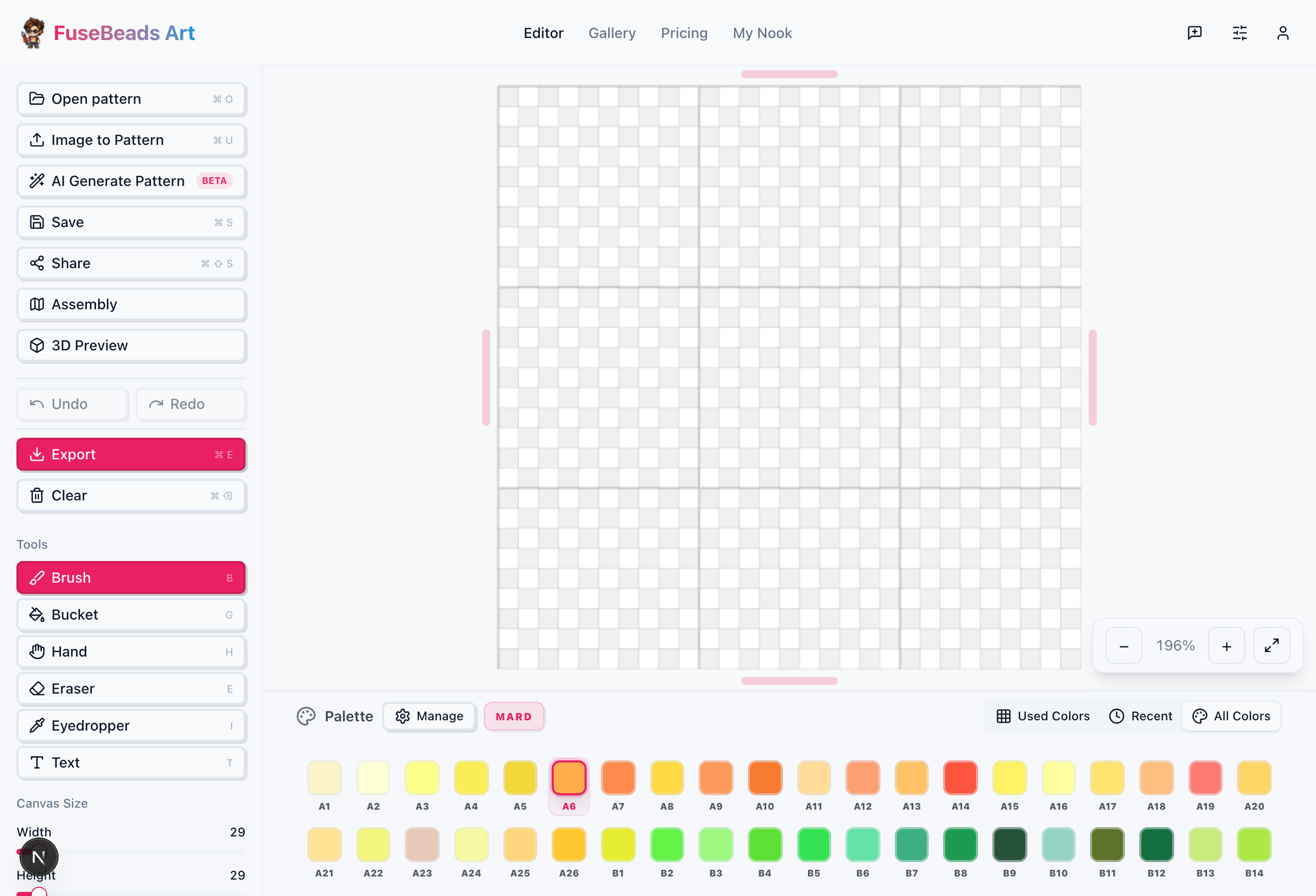
Image to pattern
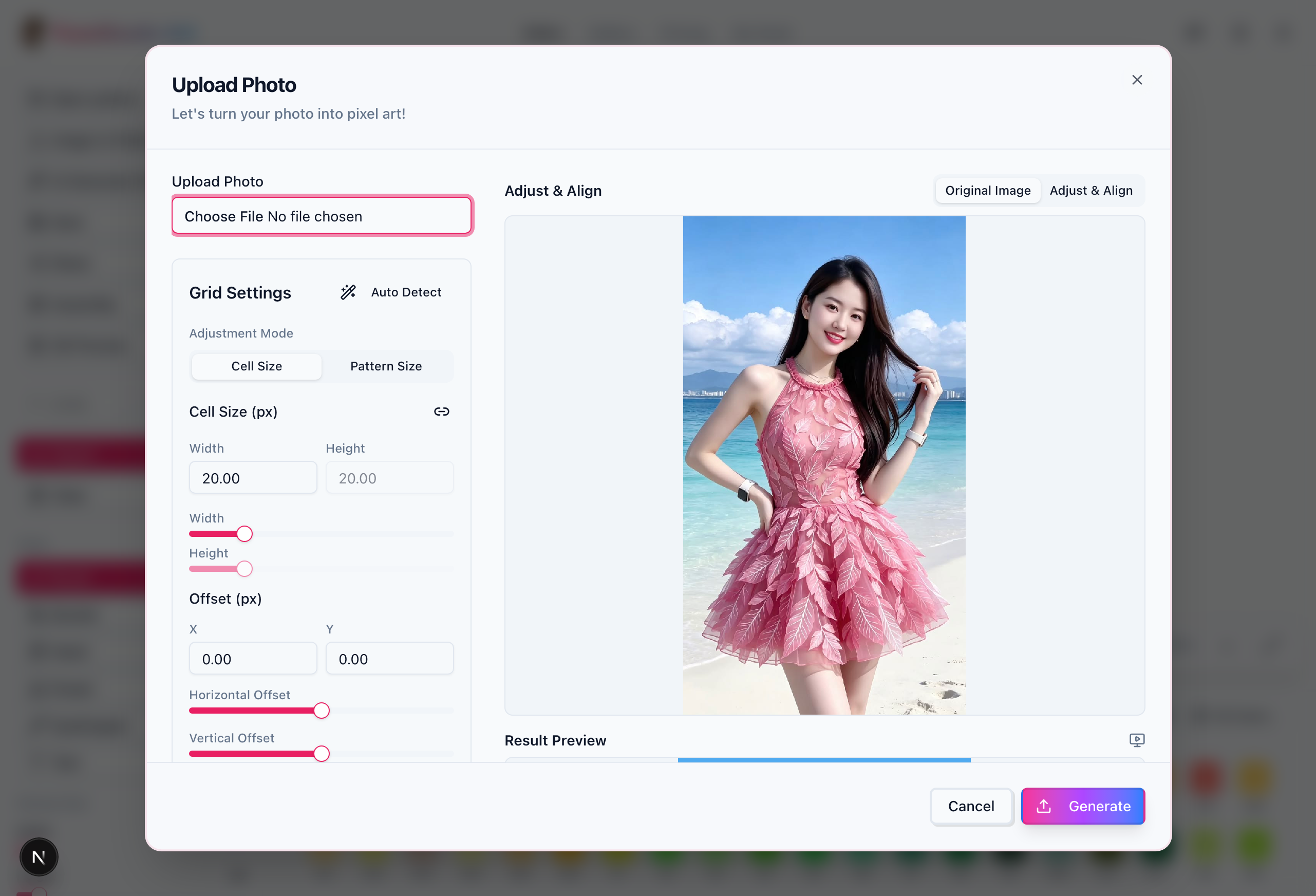
Import a JPEG, PNG or WebP and it is quantized to the chosen brand palette as a cell grid; grid size, color count and dithering are adjustable.
- Who
- People turning photos, illustrations or game sprites straight into bead patterns.
- Limits
- Conversion runs in the browser; fewer cells means less detail, and photo gradients get compressed into a limited number of shades.
3D preview
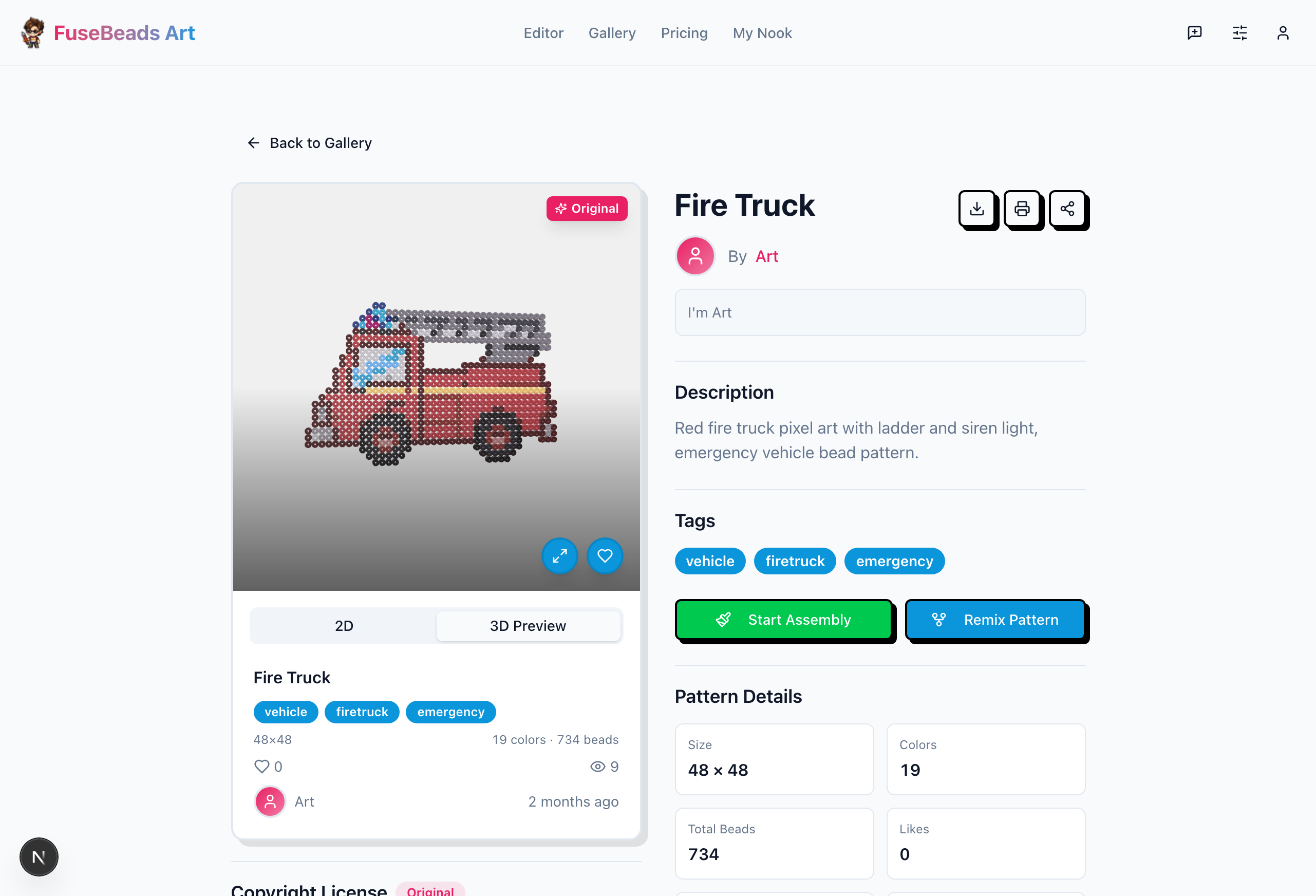
Renders the current pattern as a three-dimensional view with bead thickness, switchable between un-ironed and ironed states.
- Who
- Anyone who wants to check overall effect, color balance and scale before picking up beads.
- Limits
- The preview is an approximation; it does not simulate real lighting or bead gloss, and ironed pieces usually come out slightly darker.
Assembly mode
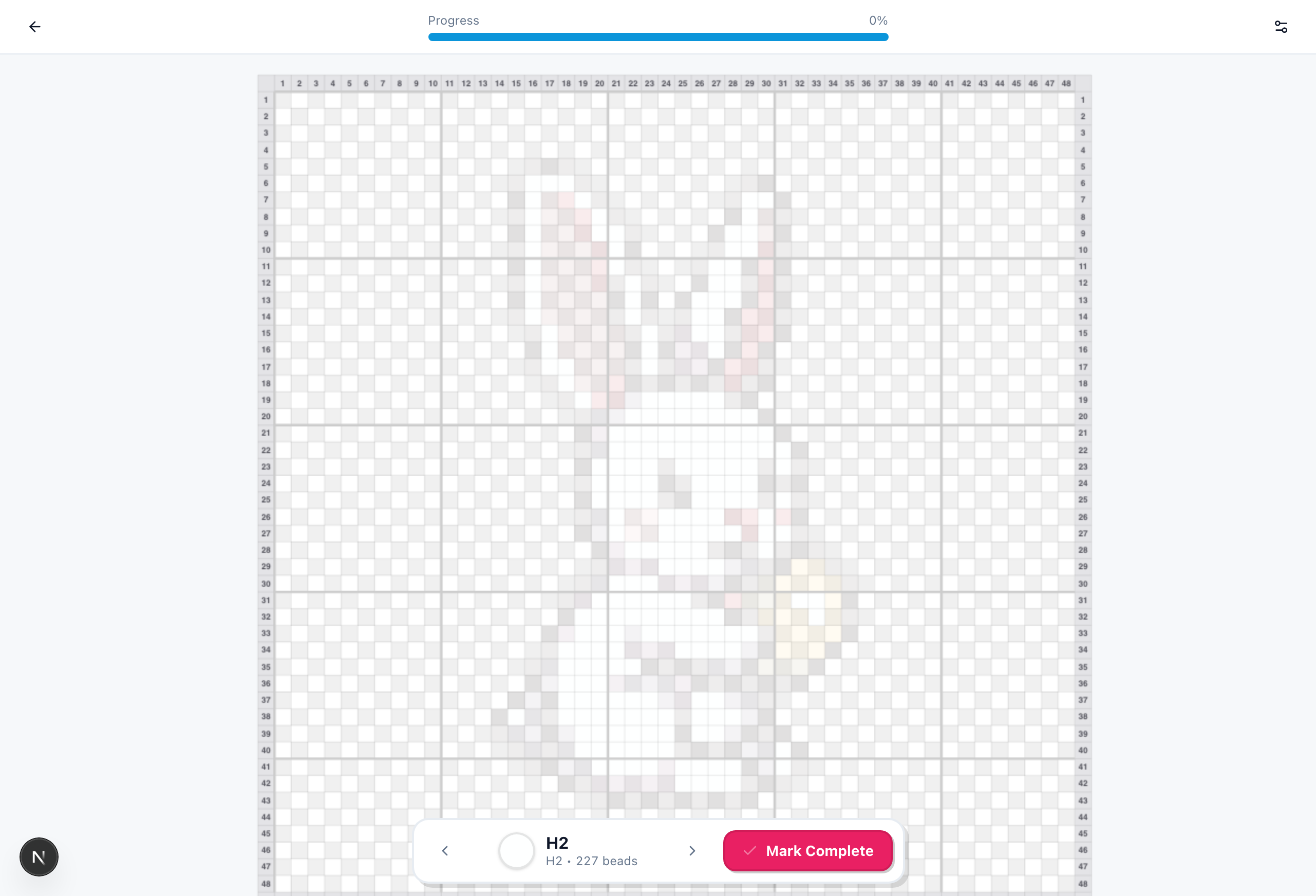
Highlights the cells for the current color, lets you tick off what is placed, and tracks real assembly progress.
- Who
- People working on large patterns who lose their place, or who build over several sessions.
- Limits
- Progress is stored in local browser storage and does not sync across devices; clearing site data erases it.
Palettes and bead counts
Save the color sets you use often, and count how many cells each color takes and how many beads the current pattern needs in total.
- Who
- People who work out bead quantities before ordering and sort beads by color.
- Limits
- Counts are theoretical for the current pattern and exclude losses; re-check the totals after changing the canvas.
Tiled export for large patterns
Splits a pattern that exceeds one page along cell boundaries, keeping the color legend, coordinates and page number on every page, packed as a ZIP. The A4 layout uses the real bead pitch: 2.6 mm for mini beads, 5 mm for standard beads.
- Who
- Makers building on large pegboards who print page by page and follow along.
- Limits
- Pro and sponsor members only; free users can preview the first 2 pages but cannot export the full set.
Community gallery
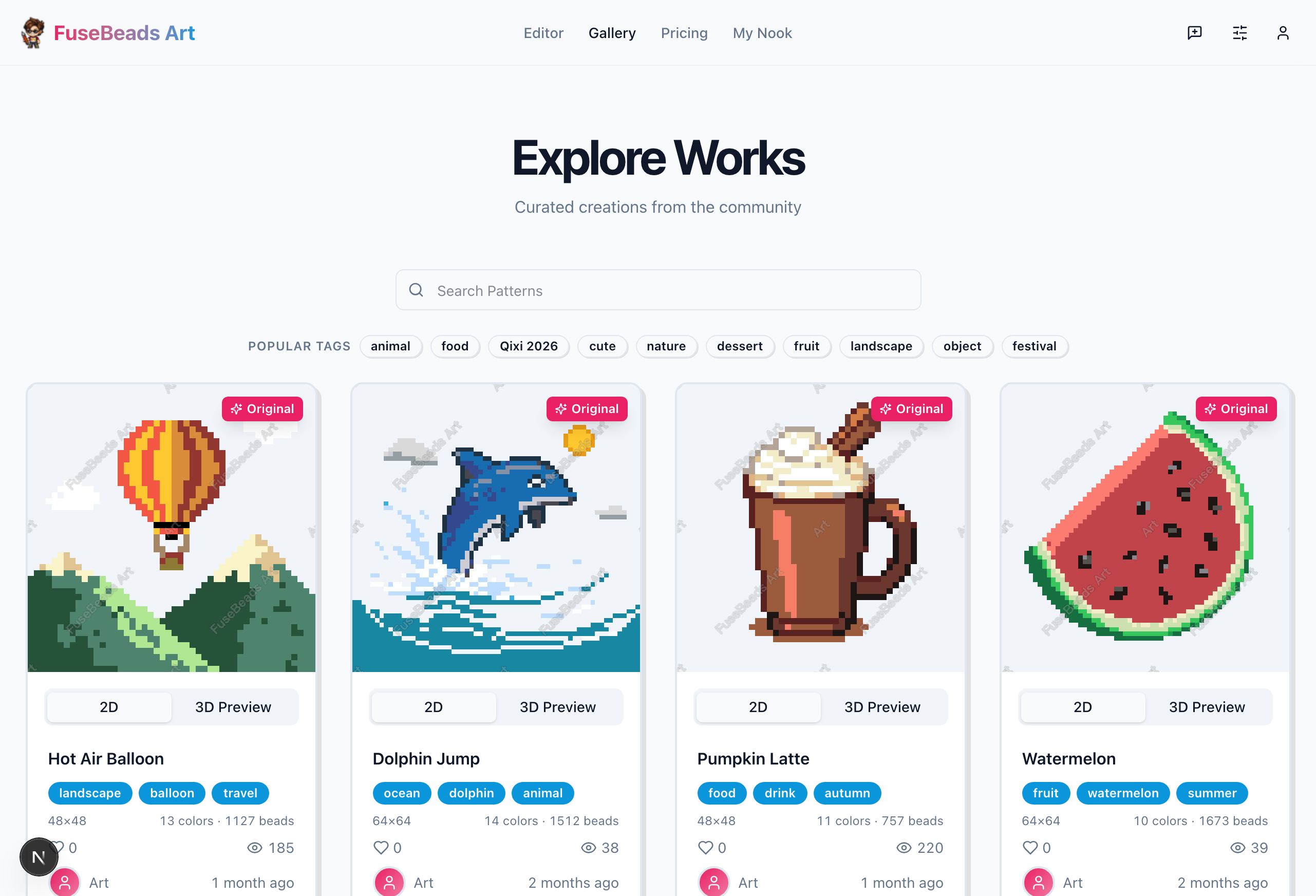
Publish a pattern with a title, description, tags, visibility and license; others can browse, favorite and comment in the gallery.
- Who
- People who want to share their patterns or find the next project.
- Limits
- Public patterns are visible to everyone; commercial and derivative permissions follow the CC license you pick.
Free plan vs Pro
The comparison below matches the pricing page; current prices and billing rules are whatever the pricing and checkout pages show.
| Feature | Free | Pro |
|---|---|---|
| Canvas limit | 300×300 | 500×500 |
| Cloud storage | 20 patterns | 500 patterns |
| Full editor | Included | Included |
| Local storage | Unlimited | Unlimited |
| PNG export | Watermarked | No watermark, custom text |
| Tiled export (A4) | First 2 pages as preview | All pages + ZIP |
| Ads | Yes | No |
| Support | Email support | Priority support |
Frequently asked questions
Can the free plan finish a pattern?
Yes. The full editor, a 300×300 canvas, local storage and PNG export are all included; exported images carry a watermark.
What does Pro add?
A 500×500 canvas, cloud storage raised from 20 to 500 patterns, watermark-free export with custom watermark text, tiled export and an ad-free interface.
What is in the exported PNG?
A high-resolution pattern with grid lines, coordinate axes and a color legend, ready to follow bead by bead. For printing, set the paper to A4 and choose “Actual size / 100%”, not fit-to-page.
How do I print a pattern larger than A4?
Use tiled export: the pattern is cut along cell boundaries, every page keeps the color legend, coordinates and page number, and the result is packed as a ZIP. The A4 layout follows the real bead pitch of 2.6 mm for mini beads and 5 mm for standard beads.
Does the 3D preview match the real thing?
Close, not identical. The preview is an approximation that ignores lighting and bead gloss, and ironed colors are usually slightly darker, so judge the final result on the physical piece.
Is assembly progress saved?
Yes, but only in local browser storage. It does not survive a device switch or cleared site data, so finish or export important patterns first.
How big can the canvas be, and how large is the result?
300×300 cells free, 500×500 on Pro. At 0.5 cm per cell with 5 mm beads, 100×100 cells is about 50 cm square and 250 cells already exceeds one metre — measure the wall first instead of picking the maximum.
Are my patterns saved automatically?
Yes: drafts are saved in the browser, so closing the page and reopening keeps your work. To move between devices, save to the cloud (sign in; 20 patterns free, 500 on Pro) — clearing site data otherwise deletes local drafts.
Which export formats are there?
PNG patterns with grid lines, coordinates and the color legend; an A4 tiled ZIP for printing large designs, with page numbers and alignment marks on every page. Pro adds watermark removal, custom watermark text and printable PDF.